ArtCraft: La suite que lo tiene todo, desde edición de imágenes, vectorial, efectos, video, ofimatica, CAD y UI
Hoy en día, con el ¡BOOM! de la Inteligencia Artificial y sus avances ha permitido desarrollar y crear nuevos proyectos. Además, transformar proyectos que funcionan utilizando nuevas tecnologías de desarrollo como es el Lenguaje de programación Rust (lenguaje de programación de sistemas, enfocado en el rendimiento extremo, la seguridad de memoria y la concurrencia).
¿Te imaginas que exista un proyecto de la creación de una Suite que incluya herramientas como las de Adobe, Microsoft Office, Figma, AutoCAD entre otros, y que sea completamente gratis; bueno, open source?
ArtCraft (https://getartcraft.com/) es una suite de aplicaciones de código abierto (open source) desarrollada en el lenguaje de programación Rust que busca ofrecer alternativas gratuitas y locales a las herramientas estándar de creatividad y productividad (como Adobe Creative Cloud, Microsoft Office, Figma o AutoCAD).
El proyecto, liderado por Brandon Thomas y el equipo de Storyteller.ai, cobró rápida relevancia mundial por ser uno de los ejemplos más contundentes del desarrollo guiado por agentes de inteligencia artificial (como Claude de Anthropic). En cuestión de semanas crearon réplicas funcionales que emulan los paneles, atajos y flujos de trabajo de los programas profesionales más populares.
A continuación, te muestro una tabla con las aplicaciones de la Suite ArtCraft y sus equivalencias o viceversa.
| Área | Aplicación | Equivale o reemplaza a |
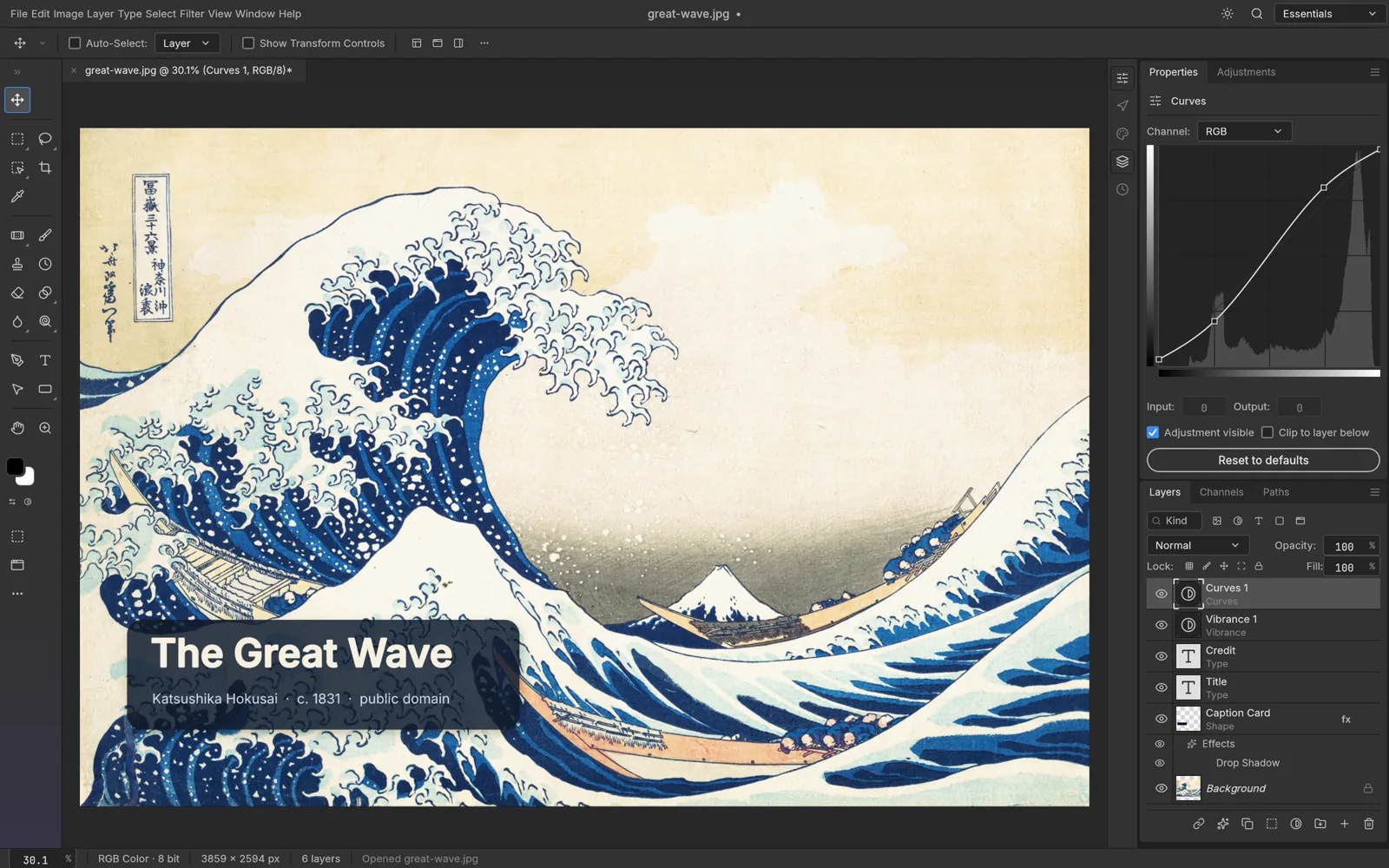
| Diseño Gráfico / Foto | PhotoCraft | Adobe Photoshop (soporta capas y archivos PSD/PSB) |
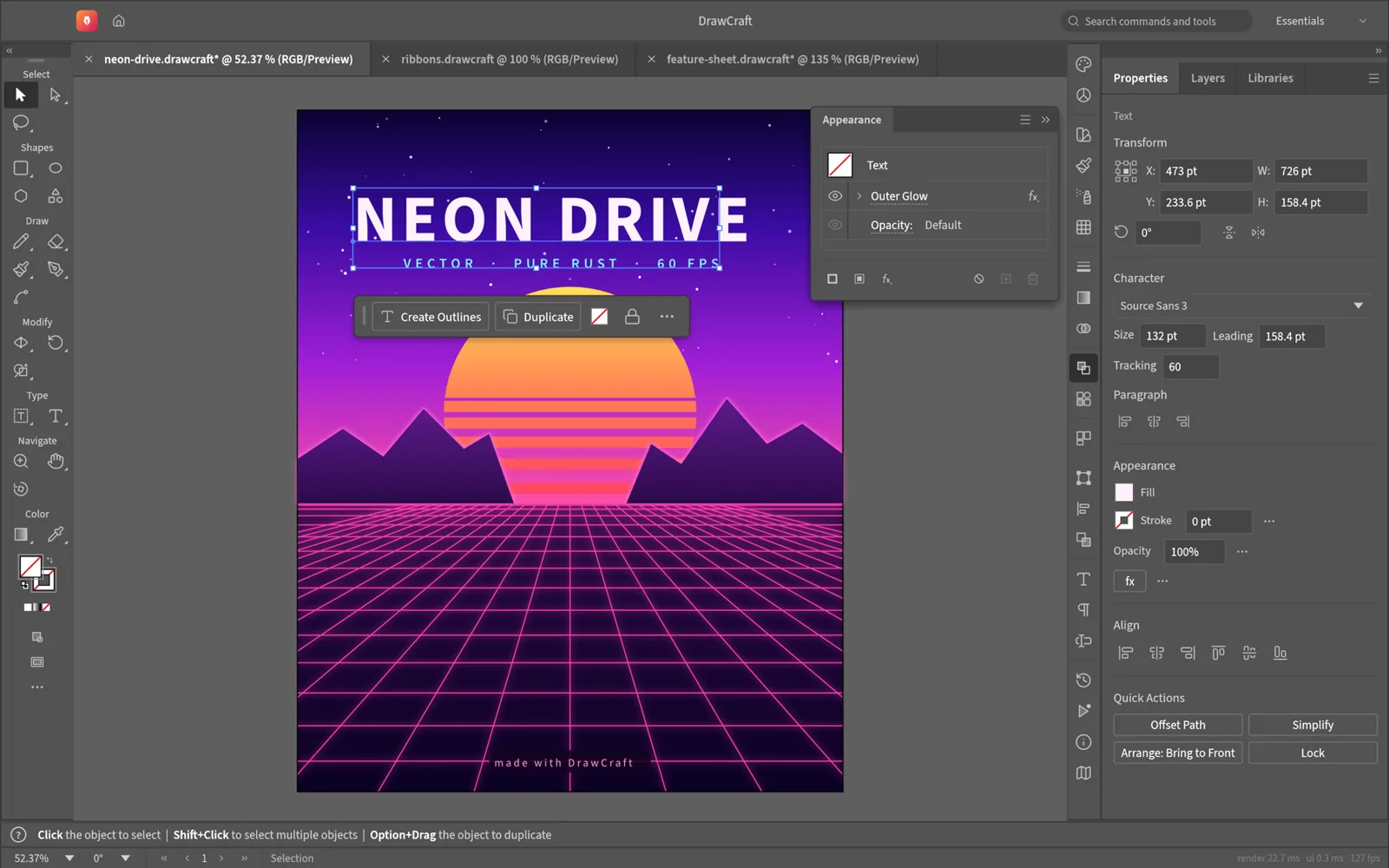
| Vectorial | VectorCraft | Adobe Illustrator |
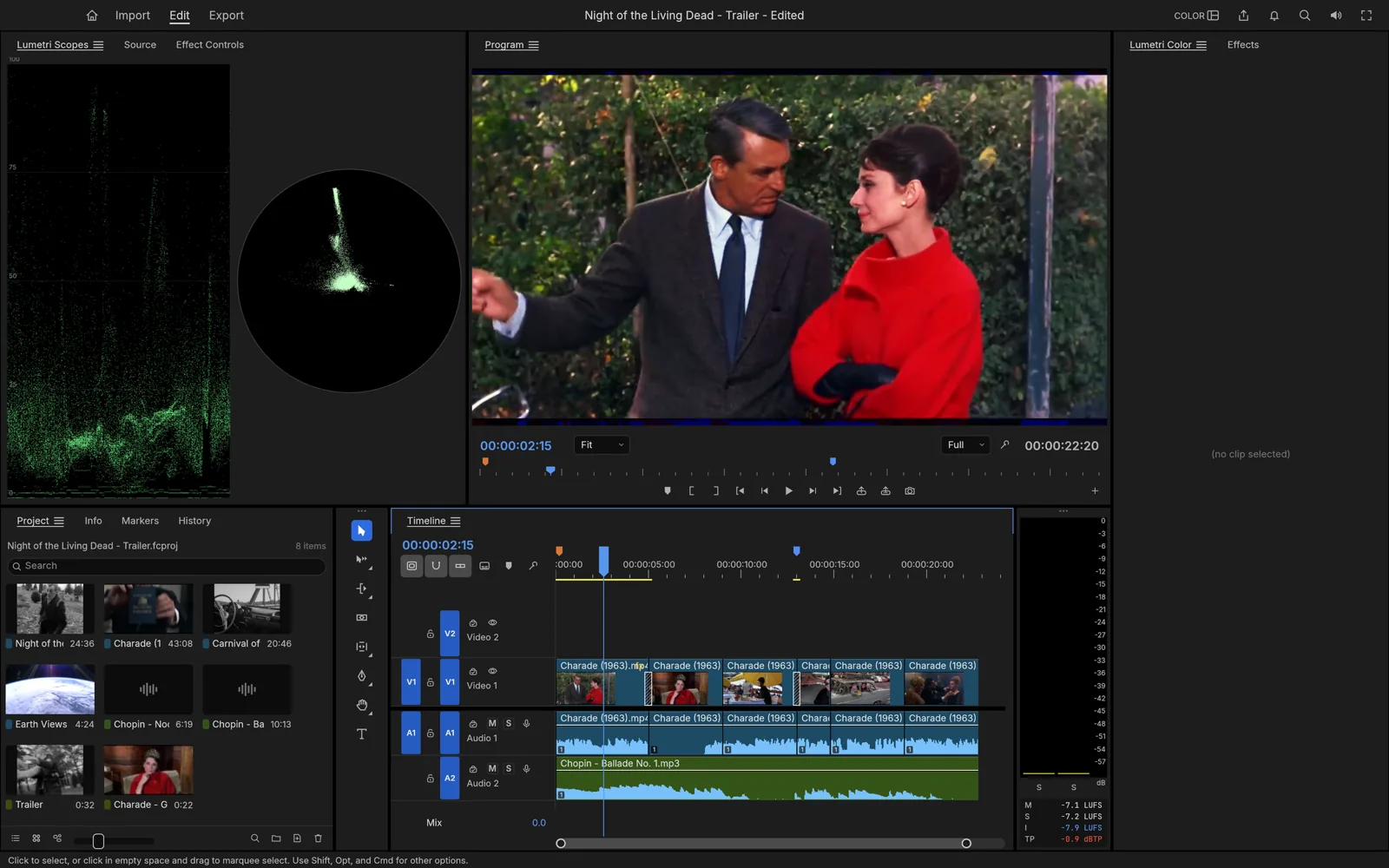
| Video y Efectos | FilmCraft / EffectCraft | Adobe Premiere Pro / Adobe After Effects |
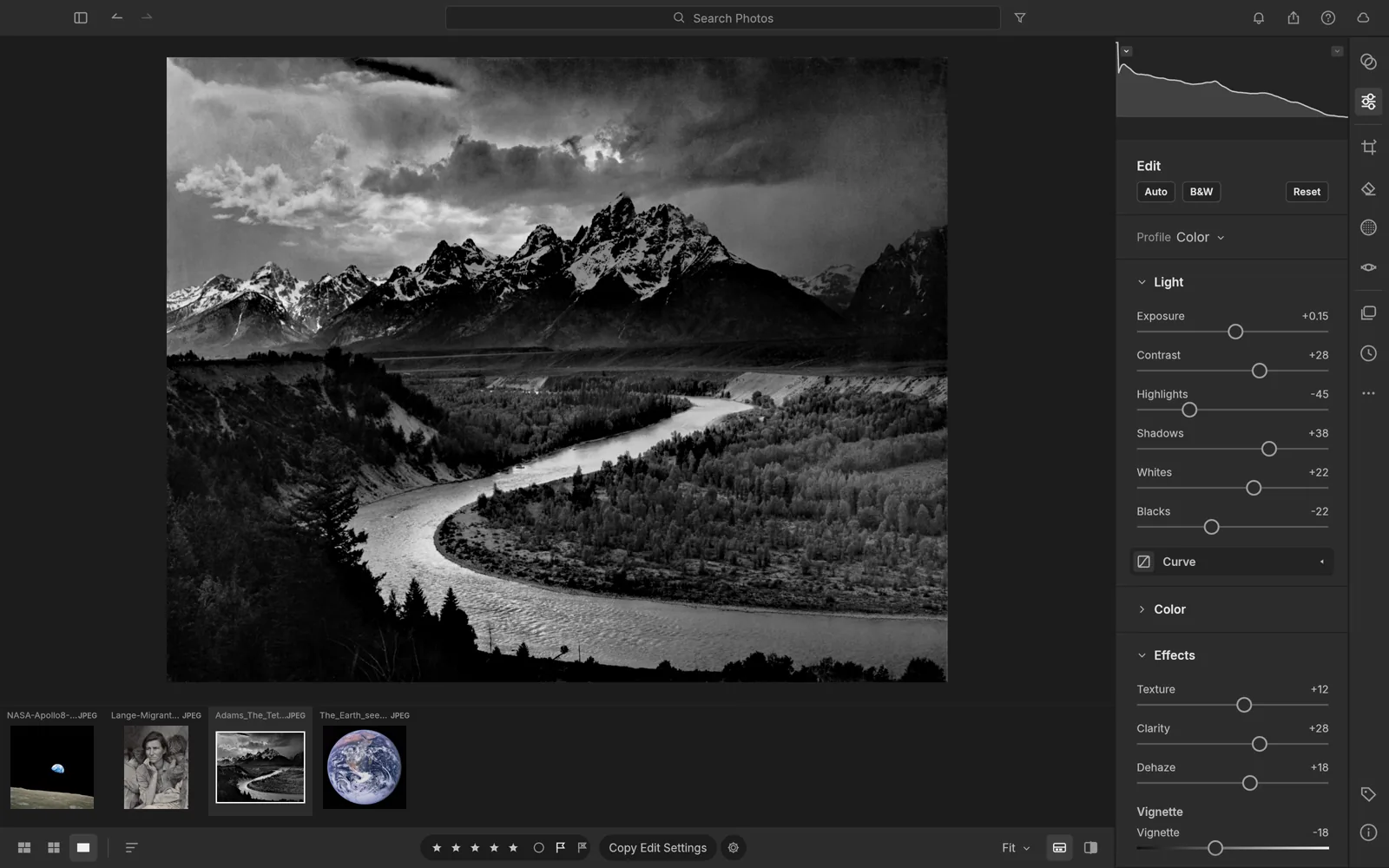
| Fotografía y Maquetación | LightCraft / DesignCraft | Adobe Lightroom / Adobe InDesign |
| Ofimática | WordCraft, GridCraft, DeckCraft | Microsoft Word, Excel y PowerPoint |
| Diseño UI / CAD / Audio | FigCraft, CADCraft, SoundCraft | Figma, AutoCAD y Pro Tools |
Principales características:
1. Sin suscripciones ni cuentas. Es 100% gratuito y de código abierto. No requiere registro, inicios de sesión ni pagos recurrente. Sí cuenta con una sección de "pricing", esto no es por las aplicaciones, sino por la IA en la nube. Los planes de pago de la web (Basic a $8/mes, Pro a $28/mes y Max a $48/mes) son en realidad sistemas de créditos de generación de medios con Inteligencia Artificial.
2. Ejecución 100% local y privacidad: Corre nativamente en el hardware del usuario en macOS, Windows y Linux. Funciona completamente offline.
3. Alto rendimiento con Rust. Al estar escritas desde cero en Rust, las aplicaciones destacan por su ligereza, bajo consumo de memoria RAM y velocidad de inicio inmediata.
4. Curva de aprendizaje nula: Mantiene intencionalmente la distribución de menús, atajos de teclado y paneles idénticos a los software tradicionales, permitiendo a los profesionales migrar de entorno sin reaprender flujos de trabajo.
5. Desarrollado mediante IA: Más del 70% del código base fue escrito mediante agentes de IA coordinador por reglas de desarrollo rigurosas (clean-room engineering).
Nota: Aunque la suite ya es plenamente funcional para tareas básicas e intermedias, gran parte de sus aplicaciones se encuentran en etapa alpha/beta activa, por lo que aún carece del ecosistema completo de plugins avanzados o soporte técnico empresarial de plataforma como Adobe.
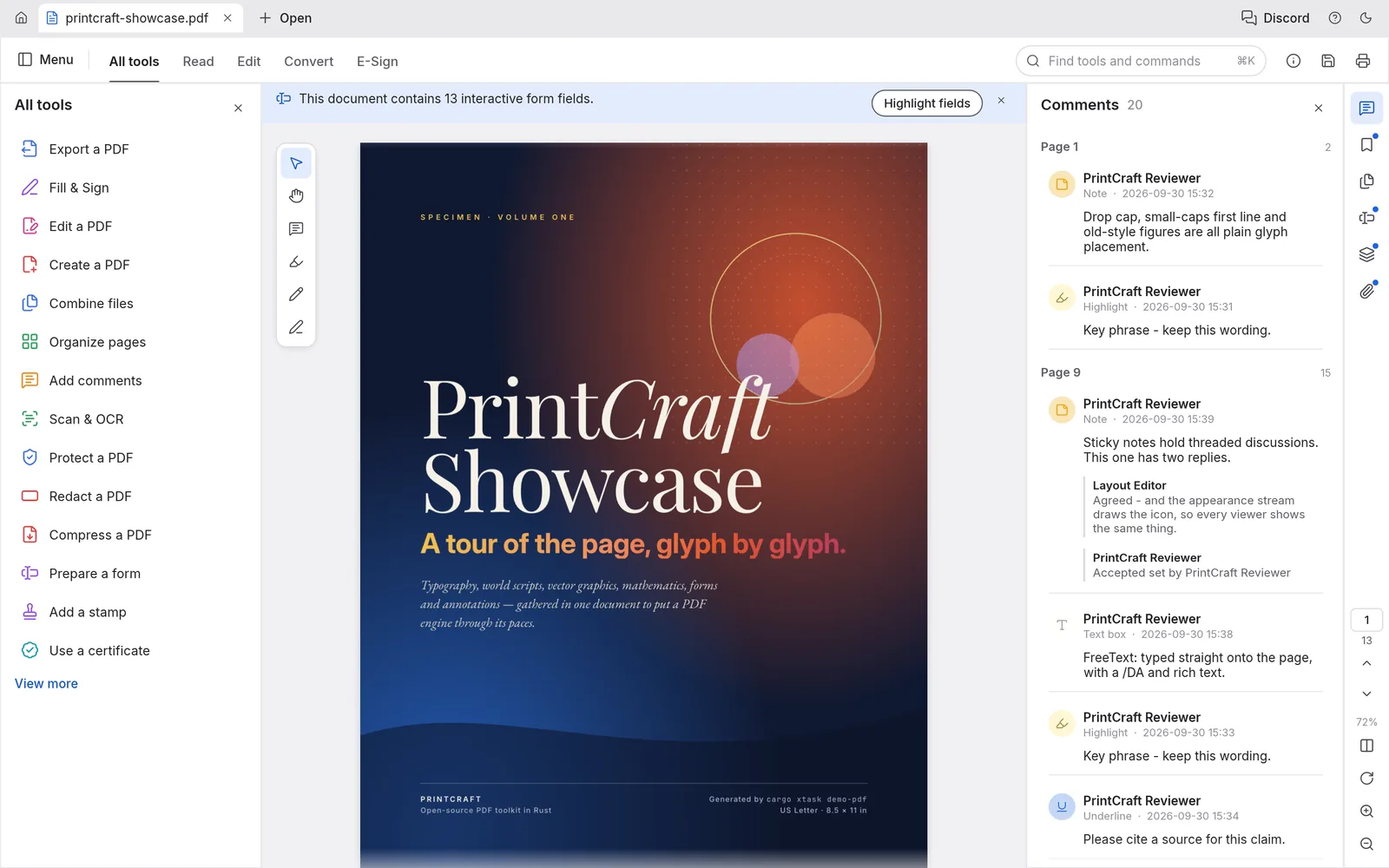
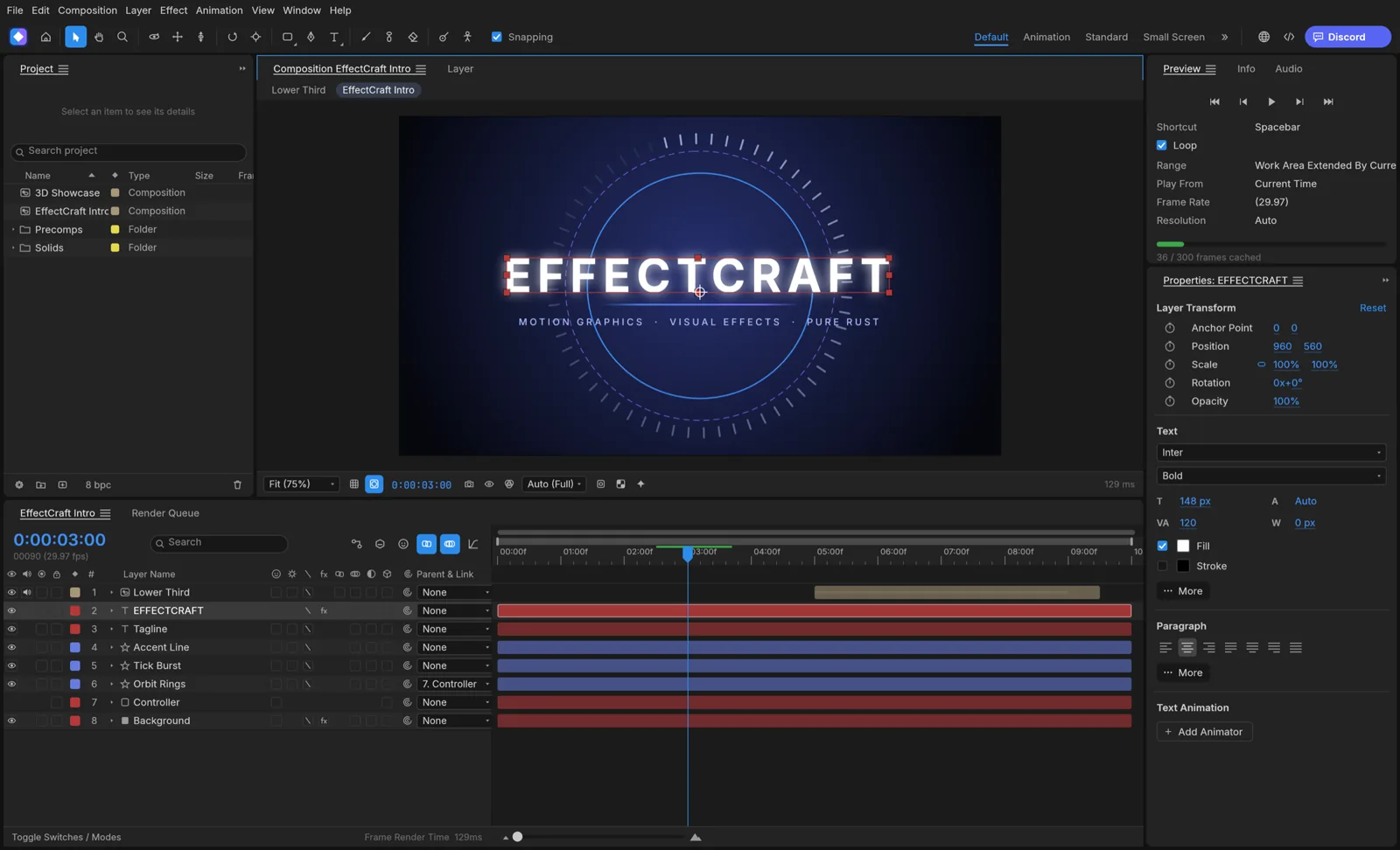
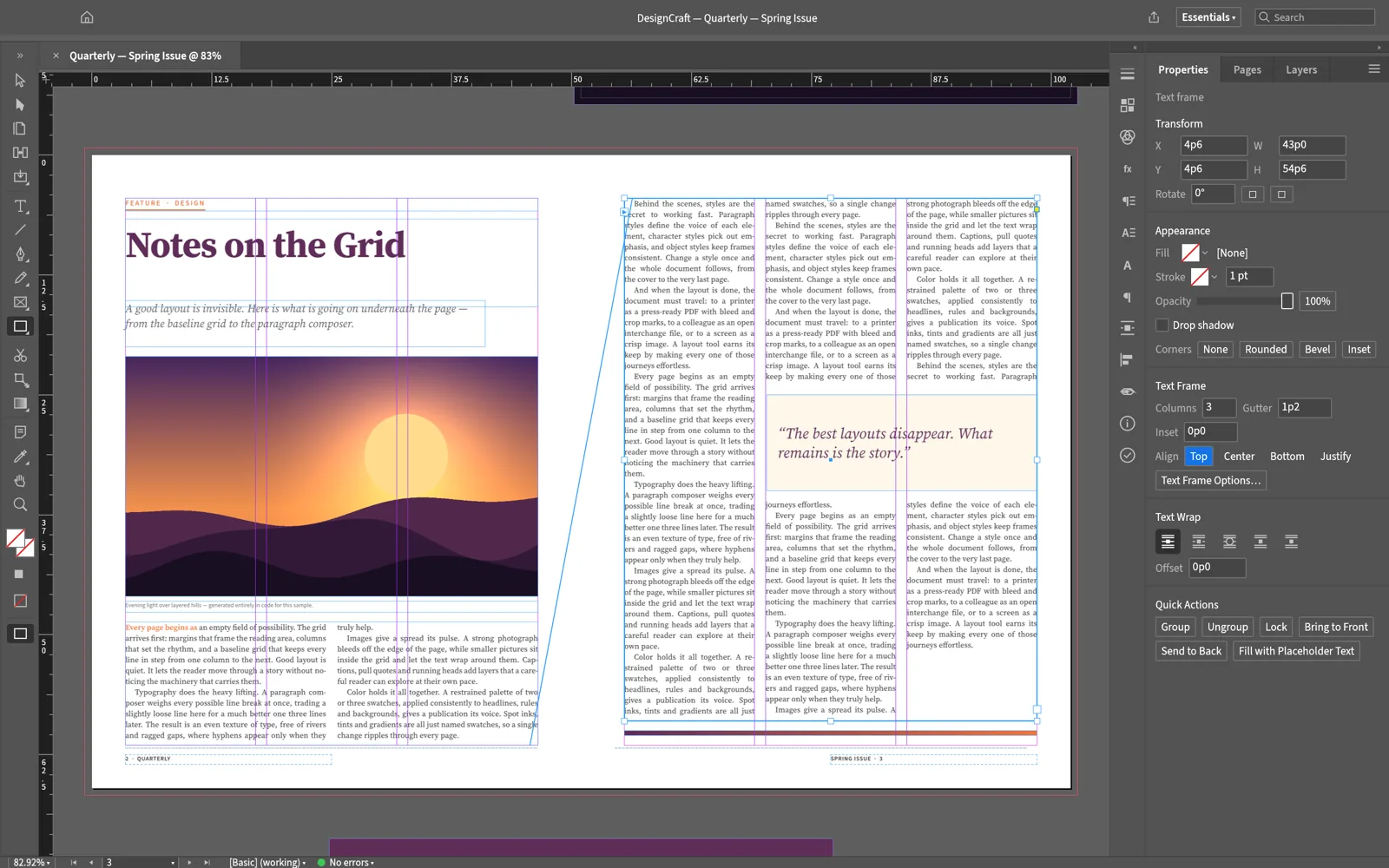
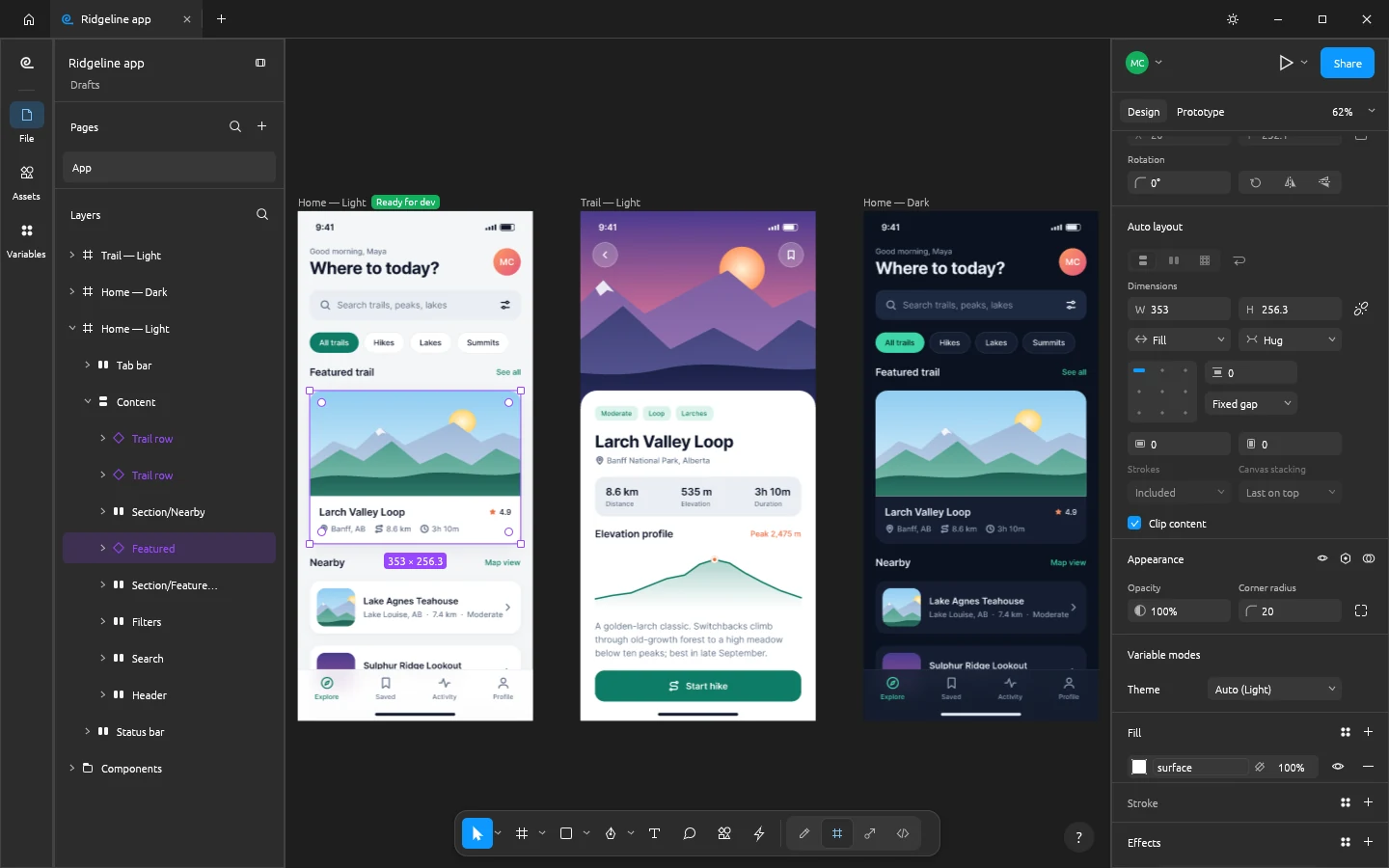
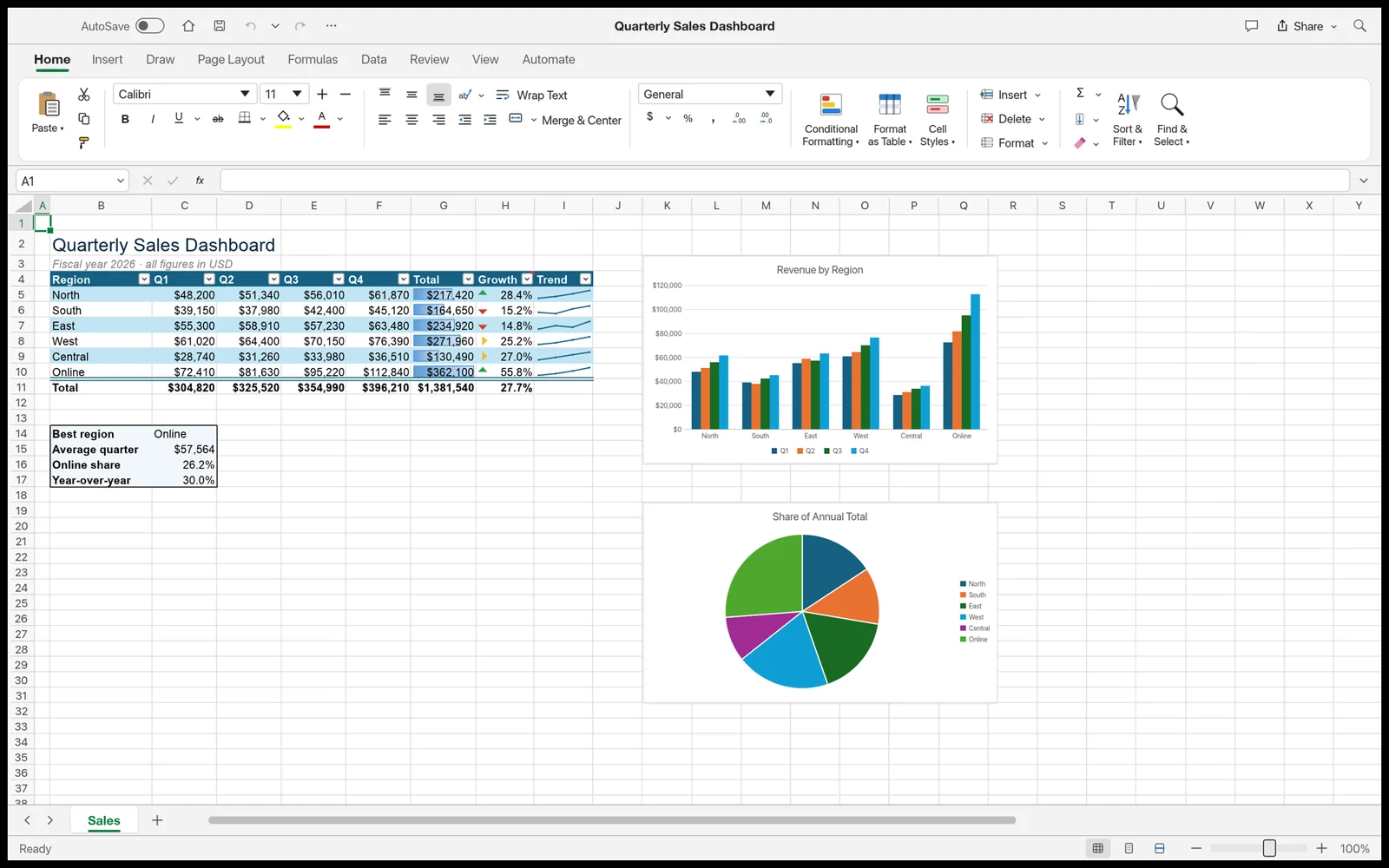
Aquí te dejo algunas captura de imágenes de las aplicaciones.
01 PhotoCraft (https://getartcraft.com/apps/photocraft)
02 VectorCraft (https://getartcraft.com/apps/vectorcraft)
03 FilmCraft (https://getartcraft.com/apps/filmcraft)
04 LightCraft (https://getartcraft.com/apps/lightcraft)
05 PDFCraft (https://getartcraft.com/apps/pdfcraft)
06 EffectCraft (https://getartcraft.com/apps/effectcraft)
07 DesignCraft (https://getartcraft.com/apps/designcraft)
08 FigCraft (https://getartcraft.com/apps/figcraft)
09 WordCraft (https://getartcraft.com/apps/wordcraft)
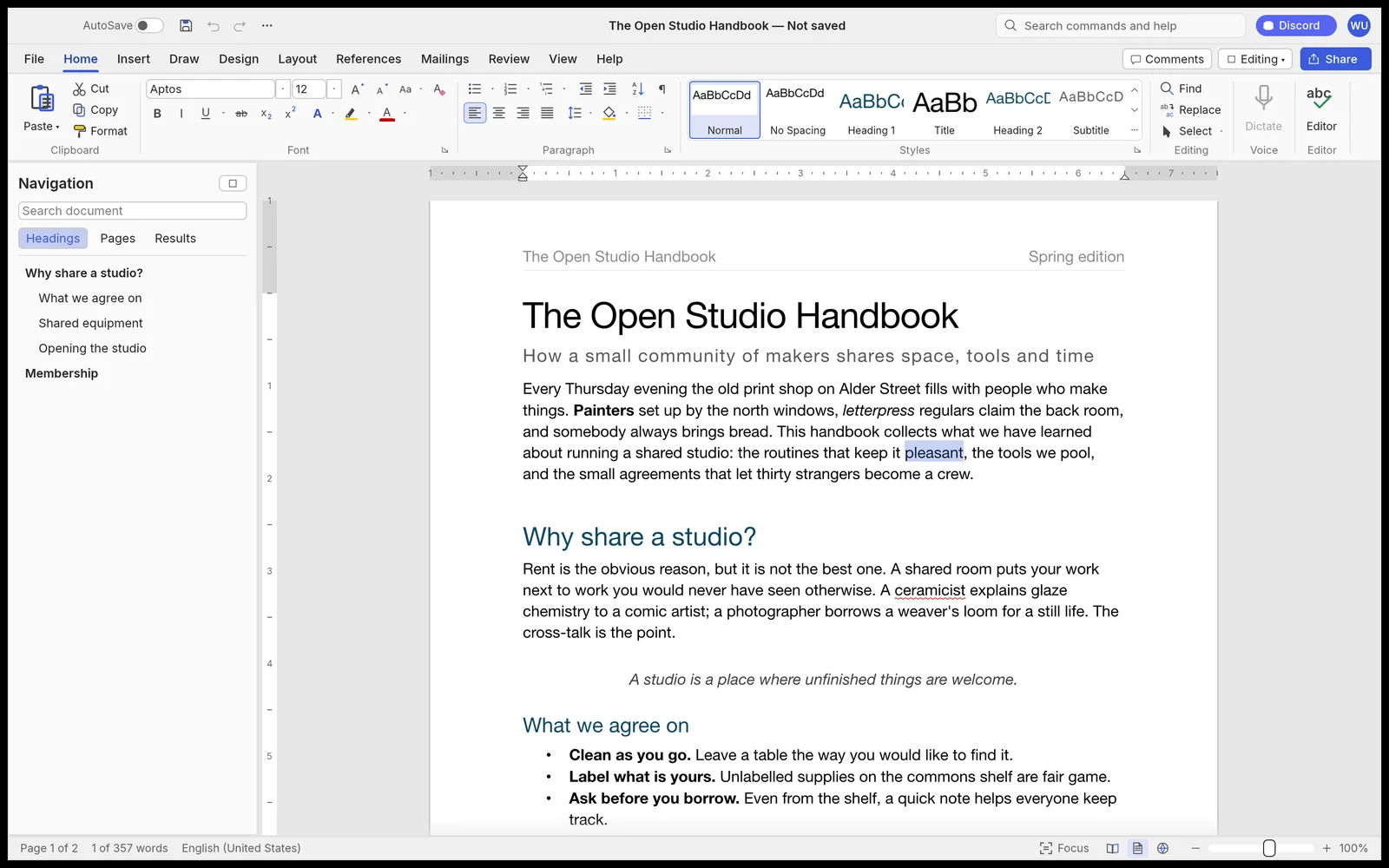
10 SoundCraft (https://getartcraft.com/apps/soundcraft)
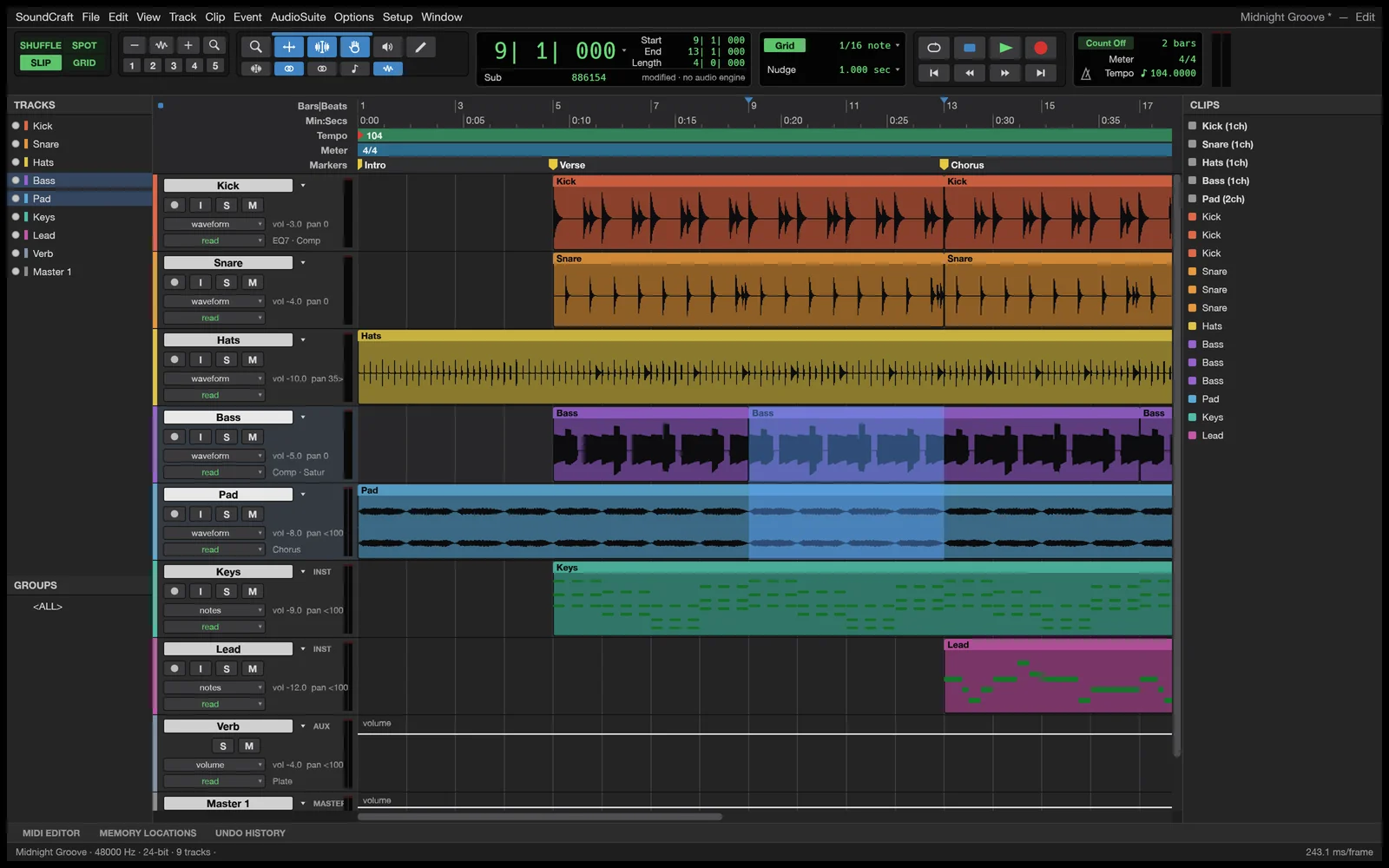
11 DeckCraft (https://getartcraft.com/apps/deckcraft)
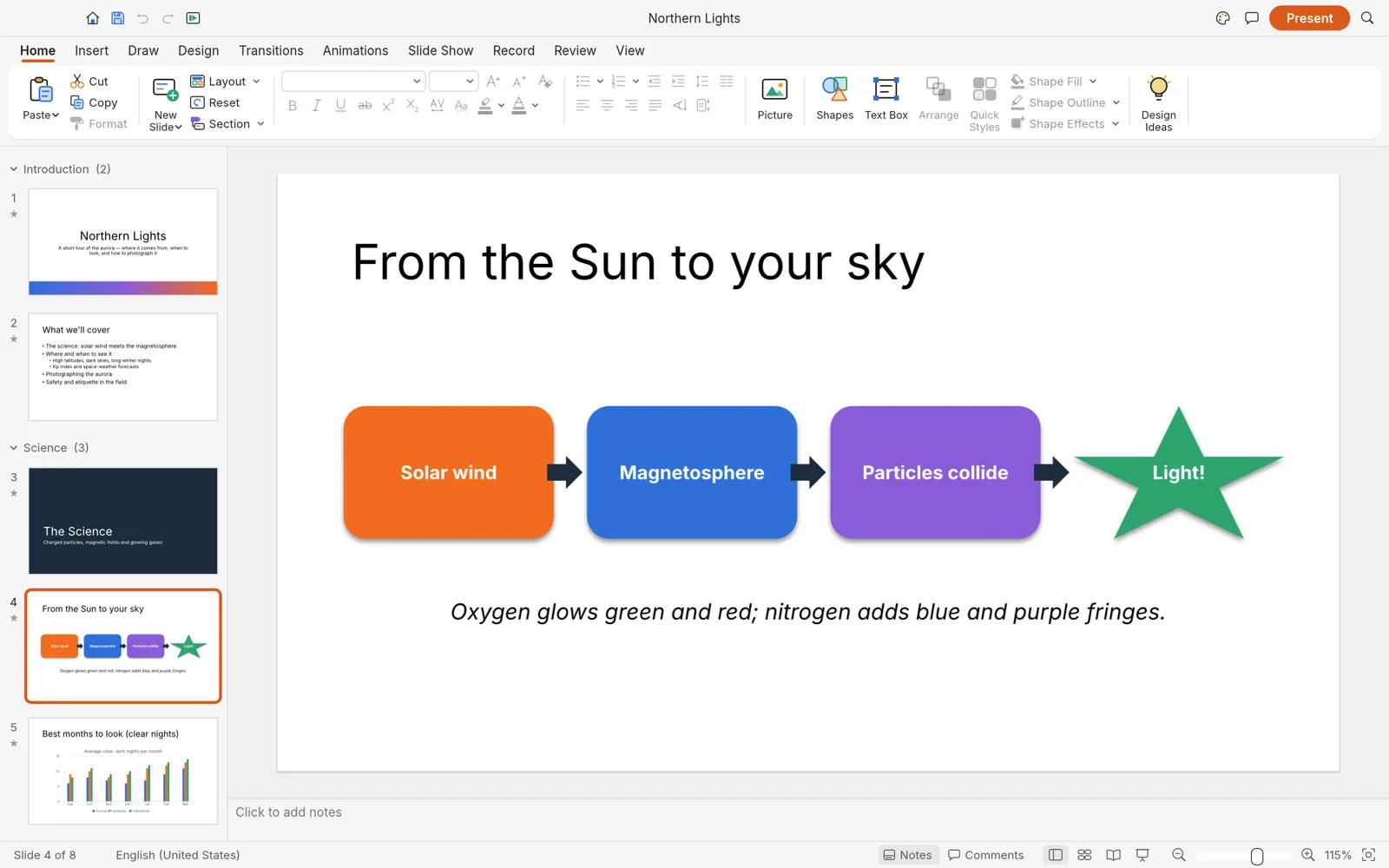
12 CADCraft (https://getartcraft.com/apps/cadcraft)
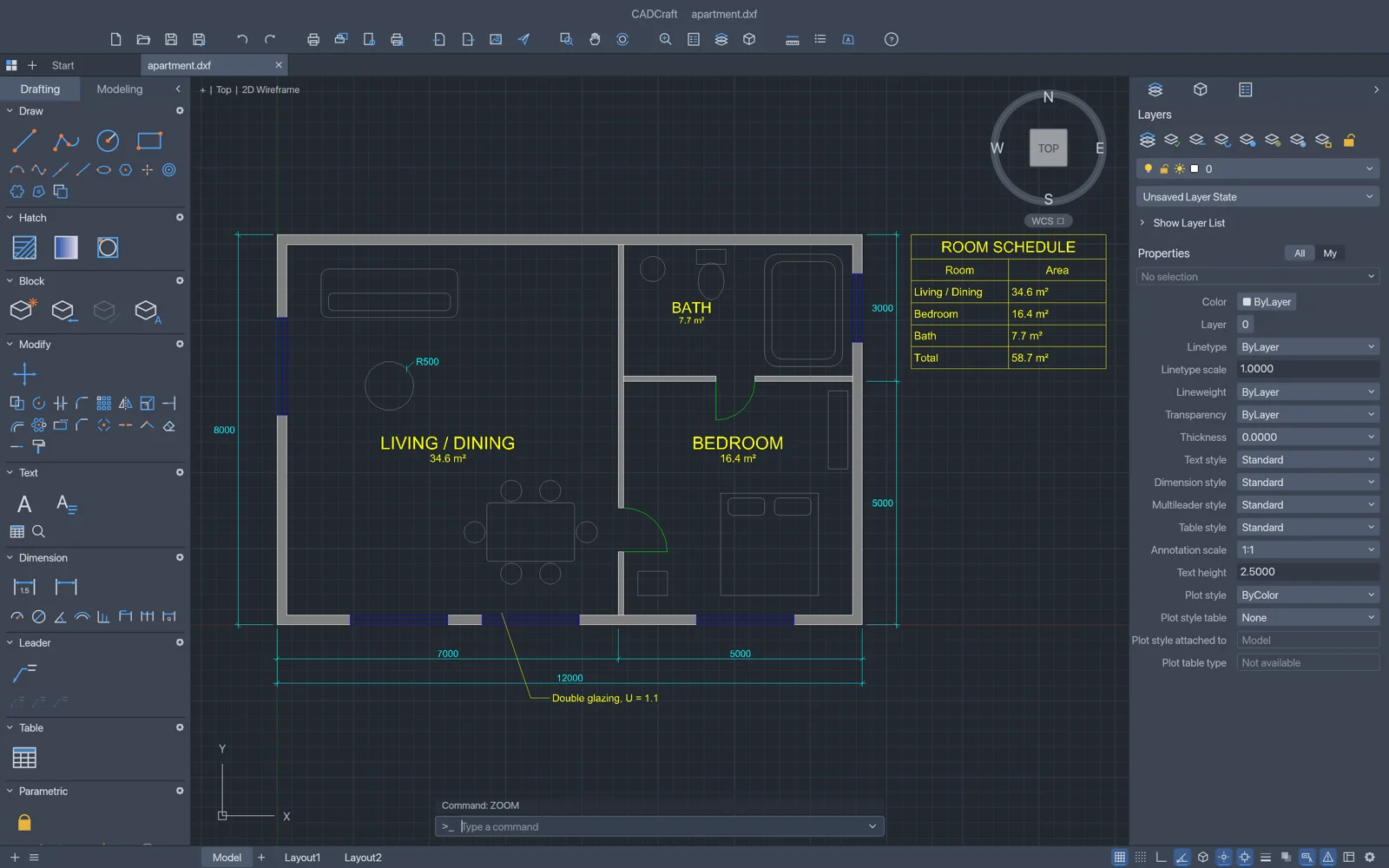
13 GridCraft (https://getartcraft.com/apps/gridcraft)
¿Te imaginas ahorrar horas en tu computadora y trabajar como un verdadero profesional?
💻⚡Ya está disponible el Pack de 10 Scripts de Automatización para Windows, diseñado para eliminar tareas repetitivas y hacer tu día mucho más eficiente.
Y esto es solo el comienzo… muy pronto lanzaré un Pack PRO, con automatizaciones avanzadas que llevarán tu productividad al siguiente nivel. 🚀
Comentarios
Publicar un comentario
¡Muchas por tu comentario! En breve estaré leyéndolo para responderte. Saludos :]